Generating Your First Report Comment
Master the AI-powered report generation process from selecting curriculum criteria and proficiency levels to refining comments and exporting final reports.
The Report Generation Process
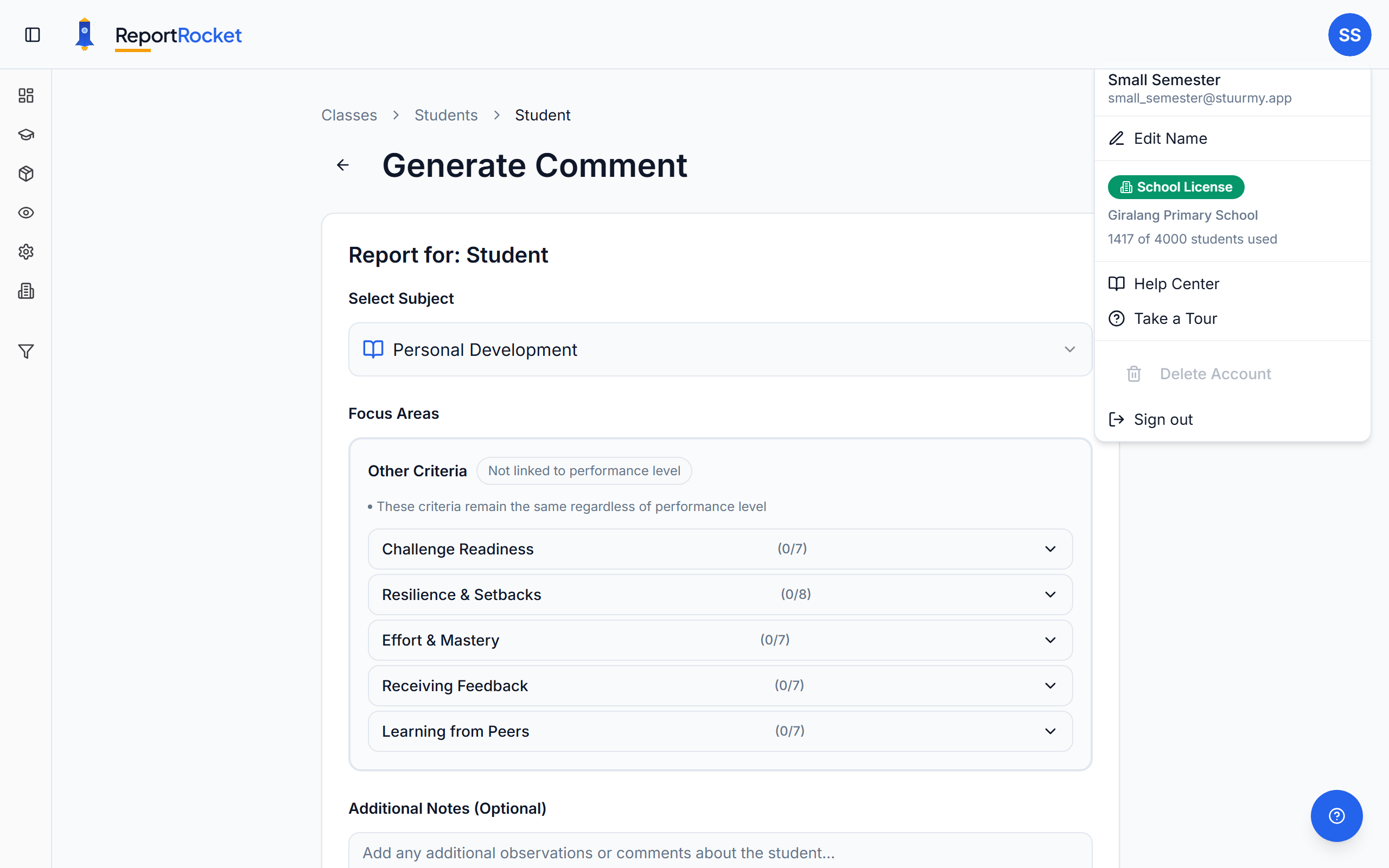
ReportRocket generates personalised report comments based on curriculum criteria you select and any custom notes you provide about the student.
Step 1: Select a Student
From your class page, click on a student to open their report editor.
Step 2: Choose Subject and Criteria
Expand Subject Sections
Click on subjects (English, Mathematics, etc.) to reveal their categories and criteria.
Select Criteria
Tick the criteria that apply to this student's achievement. Each criterion has proficiency levels:
- High – Above expected standard
- Medium – At expected standard
- Low – Working towards expected standard
How Many Criteria?
Select as many or as few as relevant. Your selections are woven into a cohesive paragraph.
Step 3: Add Custom Notes (Optional)
The Notes field is powerful. Add specific observations like:
- "Loves reading fantasy books"
- "Struggled with fractions but improved after term 2"
- "Natural leader during group work"
- "Needs reminding to show working in maths"
These are incorporated naturally into the comment.
Step 4: Generate the Comment
Click Generate Comment. Within seconds, you'll see a personalised, curriculum-aligned comment.
Step 5: Review and Refine
Read the Comment
Check that it accurately reflects your selections and notes.
Refine if Needed
Click Refine to request adjustments. You can request to:
- Make it longer or shorter
- Emphasise different achievements
- Adjust the tone
- Add or remove specific mentions
Edit Directly
You can also edit the text directly in the editor.
Check Spelling and Grammar
After editing a comment yourself, click Check spelling & grammar to have ReportRocket proofread your changes. It checks against Australian English and lists each suggested fix in amber alongside your original wording. Click a suggestion to apply just that change, or Apply all to accept every suggestion at once. Nothing changes unless you choose to apply it, so your wording is always safe. If there is nothing to fix, ReportRocket tells you the comment is already clean.
Step 6: Save
Your comment saves automatically as you work. The student's card shows "Complete" when finished.
Tips for Great Comments
- Be specific in notes – "Improved in reading" is less useful than "Moved from level 18 to 22 readers"
- Select relevant criteria only – Don't tick everything; focus on what you're reporting
- Use refine for tweaks – Faster than regenerating from scratch
- Review before moving on – Each comment should feel personal to that student
Next Steps
Was this article helpful?