Reviewing Reports as a Colleague
How to review assigned packs in ReportRocket, add helpful annotations to student report comments, and provide constructive feedback to colleagues.
Your Role as a Reviewer
When a colleague assigns you a Review Pack, you're helping ensure their reports are clear, accurate, and ready for parents.
Accessing Your Assigned Packs
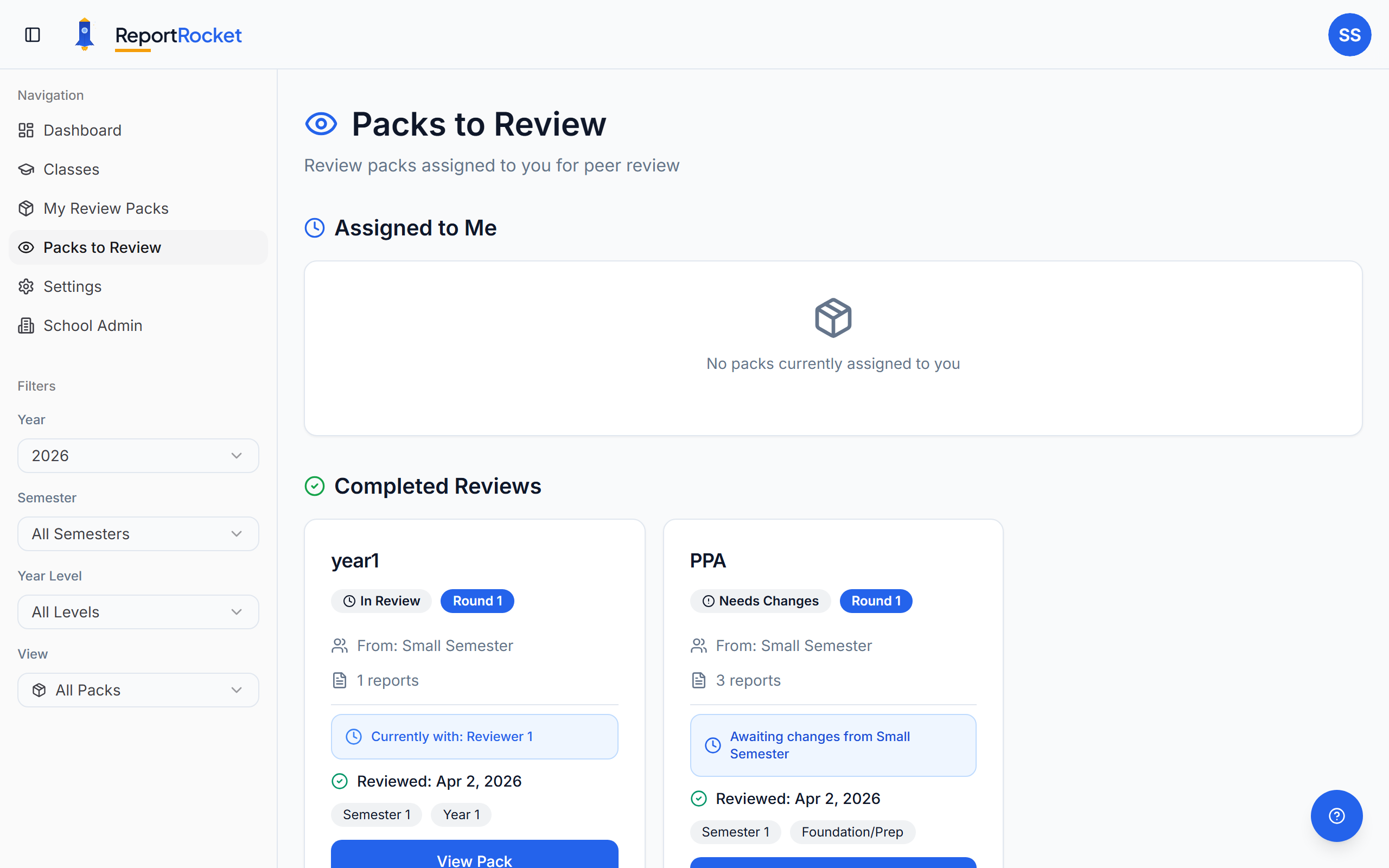
Click Packs to Review in the sidebar to see all packs assigned to you.
The Review Process
1. Open the Pack
Click on a pack to see all included reports.
2. Review Each Report
For each student report:
- Read the comment carefully
- Consider clarity, accuracy, and tone
- Look for grammar or spelling issues
- Check curriculum alignment
3. Add Annotations
Select text and add an annotation. Choose a category:
| Category | When to Use |
|---|---|
| Clarity | Meaning is unclear or confusing |
| Specificity | Too vague, needs concrete examples |
| Grammar | Spelling, punctuation, or grammatical errors |
| Positive | Highlight something well-written |
| Suggestion | Offer an alternative approach |
| General | Any other feedback |
Writing Effective Annotations
Be specific and constructive:
- ❌ "Fix this"
- ✅ "Consider specifying which reading strategy Emma improved in"
- ❌ "Wrong"
- ✅ "This should be 'their' not 'there'"
Working with Existing Annotations
Once you've added an annotation, two small icons appear on each annotation card:
- Copy icon — copies the highlighted text from the report onto your clipboard, handy if you want to quote the original sentence in a follow-up message or your own notes
- Pencil icon — reopens the annotation so you can rewrite the message or change the category. Click the pencil to start editing, make your changes, then click the green tick to save (or the X to cancel)
Editing keeps things tidy if you spot a typo after submitting, or want to soften the wording before the teacher sees it.
4. Mark Reports as Reviewed
As you finish each report, mark it reviewed to track your progress.
5. Submit Your Review
Choose an action:
- Approve – All reports meet standard, no changes needed
- Request Changes – Reports have annotations needing attention
Add pack-level comments for general feedback.
Handling Recall Requests
If the teacher needs their pack back urgently:
- You'll receive a notification
- Review the reason provided
- Choose to release or continue reviewing
Tips for Reviewers
- Be timely – Colleagues are waiting for feedback
- Be constructive – Focus on improvement, not criticism
- Be thorough – Check every report in the pack
- Be specific – Vague feedback is hard to action
Next Steps
Was this article helpful?