How to Write Report Comments: Tips for Australian Primary Teachers
The Report Comment Challenge
Every semester, Australian primary teachers face the same crunch: writing a unique, personalised report comment for every student, usually within a window of two to three weeks, on top of everything else.
Most teachers spend hours on this. Not because they do not know what to say about each student, but because turning that knowledge into well-structured, curriculum-aligned, style-guide-compliant sentences takes time. A lot of time.
Here are practical strategies that experienced teachers use to get through report season faster, without cutting corners on quality.
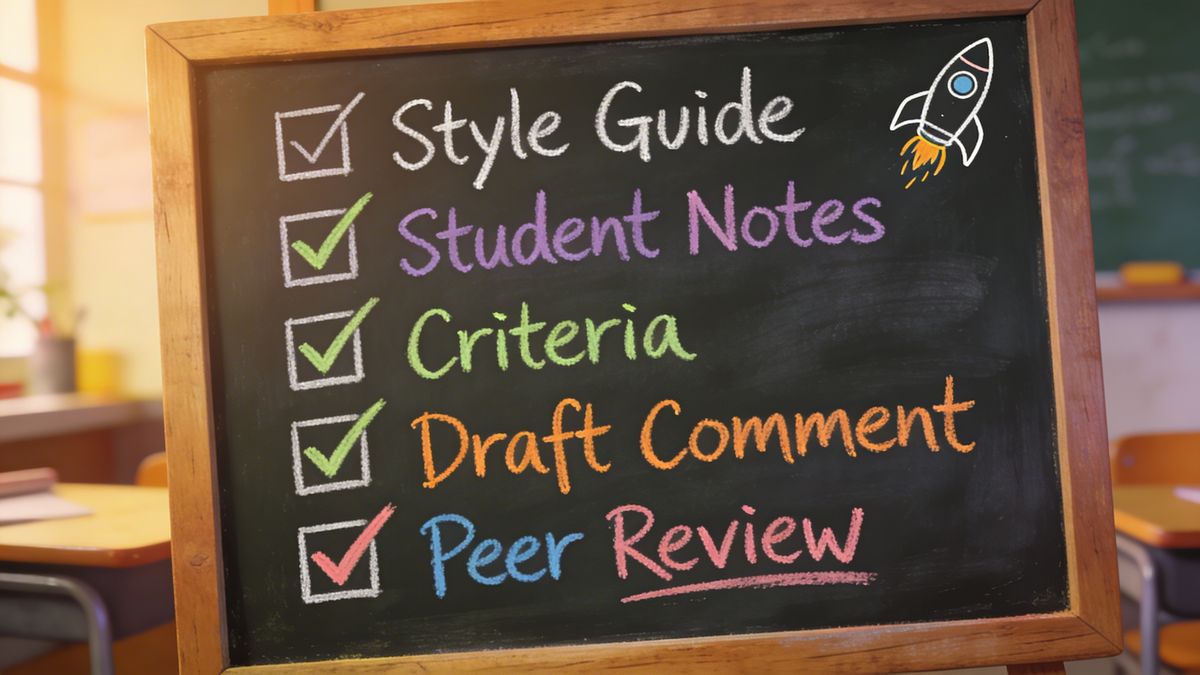
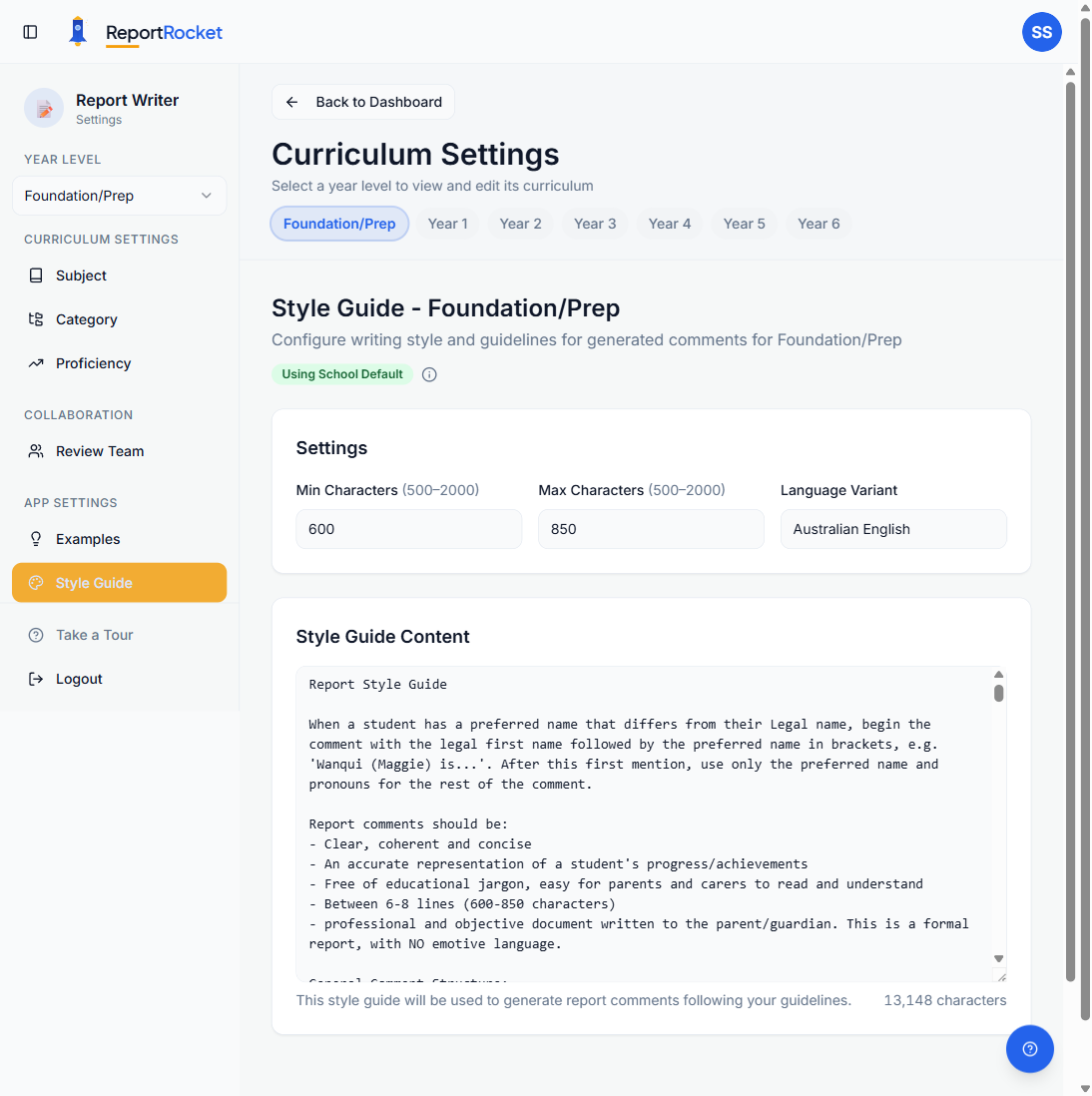
1. Know Your School's Style Guide Before You Start
Before writing a single comment, get clear on your school's report writing rules. Every school has them, and getting them wrong means rewriting later. Common style guide requirements include:
- Character or word limits (e.g. 950 to 1000 characters per comment)
- No contractions ("does not" instead of "doesn't")
- Specific tone and voice (formal, encouraging, growth-focused)
- Phrases to avoid or include (some schools ban "needs to", others require it)
- Pronoun and name alternation (e.g. "Emma ... She ... Emma ... Her")
Write these rules down in one place. Print them out and stick them next to your screen. Nothing wastes more time than going back through 25 comments to fix the same style issue.
2. Start With Brief Notes, Not Full Sentences
Do not try to write polished comments from scratch. For each student, jot down dot-point notes first:
- Key achievements this semester
- Specific curriculum areas they have progressed in
- Areas for growth
- Anything personal or noteworthy (showed persistence, excelled in a particular unit, working with support)
These notes become your raw material. Five dot points per student is enough. The actual sentence construction comes later, and it goes much faster when you already know what you want to say.
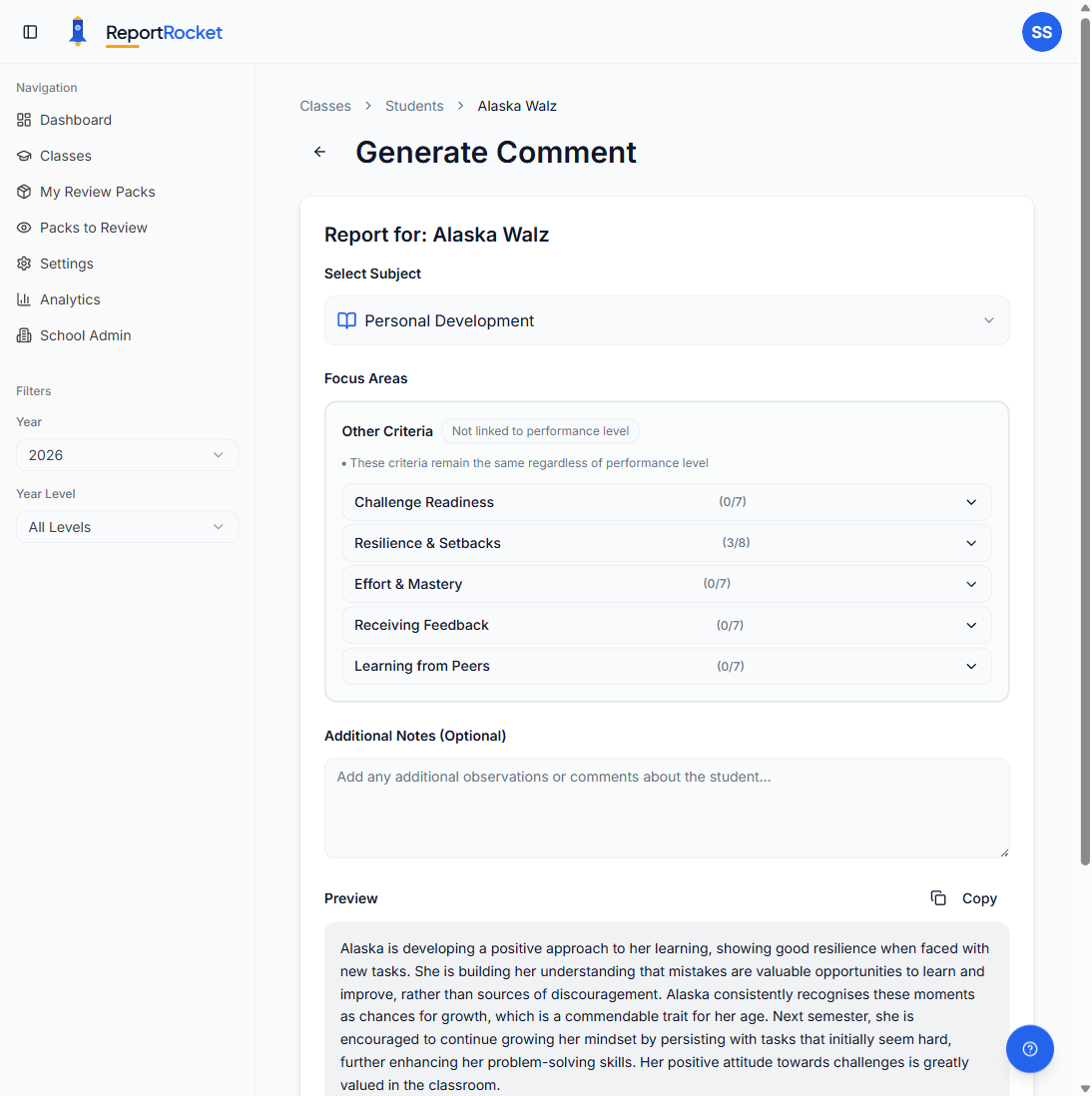
3. Use a Criteria Checklist to Stay Curriculum-Aligned
Report comments need to reference what students have actually been learning, tied to the Australian Curriculum. Rather than trying to recall content descriptors from memory, use a checklist approach:
- Pull up the ACARA V9.0 content descriptors for the subjects and year level you are reporting on
- For each student, tick the criteria that match what they have been working on
- Use those ticked criteria as the backbone of your comment
This is essentially how a comment bank works, but tied directly to the curriculum rather than generic phrases. It keeps comments specific and defensible, which matters when parents or leadership ask questions.
For examples of what curriculum-aligned comments look like at different proficiency levels, see our Year 3 report card comment examples.
4. Batch Students at Similar Proficiency Levels
Instead of writing comments student by student from top to bottom of your class list, group them:
- Above year level: Students who are excelling. These comments tend to share similar language around confidence, independence, and extension.
- At year level: The majority of your class. Focus on steady progress, developing skills, and growth areas.
- Below year level: Students who need support. These comments require more careful framing around what they can do and how they are being supported.
Writing three "above" comments in a row is faster than switching between proficiency levels every time. You get into a rhythm with the language and structure.
5. Use AI Tools to Format Your Notes Into Comments
If you have already done the thinking (selected criteria, written notes, know the proficiency level), AI tools can handle the formatting. Instead of spending 10 minutes crafting each sentence, you feed in what you know and get a polished first draft back.
ReportRocket was built specifically for this. You select curriculum criteria for each student from hundreds of ACARA-aligned options, add your notes, choose the proficiency level, and it generates a comment that follows your school's style guide. The professional judgment stays with you. ReportRocket just handles the sentence construction.
Other teachers use ChatGPT or similar tools with custom prompts. The key is having good inputs (your criteria selections and notes) so the output is genuinely personalised, not generic. Whatever tool you use, always read and edit the output before it goes anywhere.
6. Build Peer Review Into the Timeline
Most schools require a colleague to review report comments before they go home. If you leave this until the last minute, it creates a second crunch on top of the first.
Plan for it:
- Set a deadline for first drafts that is at least three to four days before the final submission date
- Agree with your reviewer on what they are checking (grammar, tone, specificity, consistency)
- Use a structured review process rather than verbal feedback or track changes in a Word document
ReportRocket includes Review Packs for this. You bundle student reports and assign them to a colleague, who annotates comments inline by category (grammar, clarity, tone, specificity). One-Click Revisions then rewrites the comment to address all feedback at once.
Even without a tool, the principle is the same: structured, categorised feedback is faster to give and faster to act on than general comments scribbled in the margins.
7. Do Not Start From Zero Every Semester
Keep a copy of your best comments from each semester. Not to reuse them word-for-word (students change, and so should their comments), but as reference material:
- Sentence structures that worked well
- Good ways to phrase growth areas positively
- Subject-specific language you were happy with
Building a personal report comment bank over time means each semester gets a little faster. You are not reinventing the wheel, just refining it.
For a ready-made bank of general report comments covering effort, behaviour, and social skills, we have put one together for Australian primary teachers.
Frequently Asked Questions
How do you write a good comment for a student report?
A good report comment is specific, curriculum-aligned, and personalised. Start with what the student has achieved, reference the actual content they have been learning (tied to ACARA content descriptors), mention specific strengths, and close with an encouraging area for growth. Avoid generic phrases that could apply to any student. The comment should make a parent think "yes, that sounds like my child."
How do you write positive comments for students who are struggling?
Focus on what they can do and how they are being supported, rather than what they cannot do. Use language like "is developing", "is working towards", "with support, can demonstrate", and "benefits from". Mention specific strategies being used (small group work, hands-on materials, targeted practice). Frame growth areas as next steps, not deficits.
How long should a report comment be?
This varies by school. Most Australian primary schools expect between 800 and 1200 characters per student per reporting area. Check your school's style guide for specific requirements. If no limit is specified, aim for three to four sentences covering achievement, progress, and next steps.
Can AI write student report cards?
AI can generate high-quality first drafts that are curriculum-aligned and personalised, provided the teacher supplies good inputs (criteria selections, proficiency level, student-specific notes). The best results come from reviewing and refining the output, adding specific examples, and checking tone. AI handles the repetitive formatting; teachers provide the professional judgment.
Need help getting through report season faster? ReportRocket is a school report writer for Australian teachers that generates personalised, curriculum-aligned comments using your school's style guide. Try it free.